
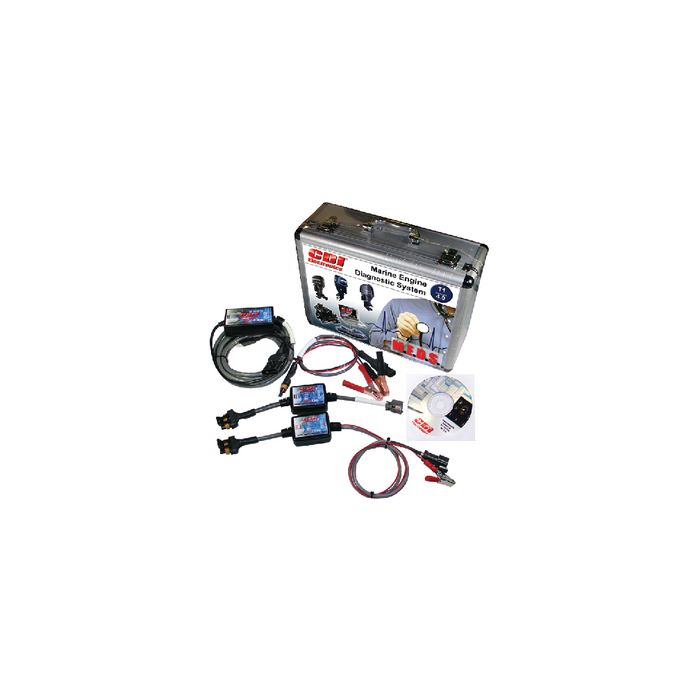
CDI M.E.D.S Total Diagnostic System
CDI M.E.D.S Total Diagnostic System
CDI M.E.D.S Total Diagnostic System
The M.E.D.S. Check Report allows you to run a full diagnostic test on your customer’s engine and present them with a comprehensive report detailing everything from the number of hours on their engine to the last time they did an oil change. You can upload your company logo to M.E.D.S. and have it appear in the upper left hand corner ofyour M.E.D.S. Check Report.
Total M.E.D.S. platform is the only system capable of testing multiple engine platforms with one package. No more fumbling with multiple computers and programs. The system is designed to be installed quickly and easily onto your Windows based computer. Your platform provides the software interface, USB adapter, optical isolation (to prevent damage to your computer), 10' interface cable with security verification to protect your investment.
System Requirements:
Microsoft Windows platform
Intel Pentium (1.2Ghz min.)
CD-ROM drive
40 MB of free space
1024 x 768 screen resolution
USB 2.0 connection
| SKU | Tech Specs |
| CDI-5310118T1 | Total System - Mercury, Merc Plus, Yamaha, Mercury by Yamaha and BRP |
| CDI-5310118B | BRP Ficht & E-Tec Only Platform |
| CDI-5310118I4 | MEDS MEFI Inboard Platform |
| CDI-5310118M | Mercury Only Platform |
| CDI-5310118S | MEDS Suzuki Platform |
| CDI-5310118T3 | Total System - Version 6 |
| CDI-5310118U | MEDS Upgrade version 6, CD only |
| CDI-5310119B | Upgrade to test BRP Ficht & E-Tec engines |
| CDI-5310119I4 | Upgrade Mercury Platform to test Yamaha engines |
| CDI-5310119S | Upgrade MEDS Suzuki |
| CDI-5310119Y | Upgrade Mercury Platform to test Yamaha engines |
M.E.D.S. Software Capabilities:
M.E.D.S. Features:
M.E.D.S. FAQ
Q: What computer requirements are needed for M.E.D.S.? Platforms: Microsoft Windows XP (32-bit only), Windows Vista (32-bit, 64-bit), Windows 7 (32-bit, 64-bit), Intel Pentium (1.2GHz minimum) or higher. Any tablet running Windows 8 or Windows 8 Pro with a USB port. Screen Resolution: 1024 x 768 CD-ROM Drive (Flash Drive Available) 40MB of free space USB 2.0 connection
Q: What tablets work with M.E.D.S.? Microsoft’s Surface Pro Tablet or any other tablet with a USB port running Windows 8, or Windows 8 Pro.
Q: How do I upgrade M.E.D.S.? Before installing your new M.E.D.S. software, you must uninstall the M.E.D.S. software you currently have on your computer. Activation of your new software can be done online once you install the disc or you can contact CDI Electronics for offline activation. Your existing customer’s stored files are kept in a separate M.E.D.S. folder.
Q: What engines can M.E.D.S. diagnose? Click here for a complete list of engines supported by M.E.D.S.
Q: Can I configure a vessel which has CANbus technology using M.E.D.S.? Currently, M.E.D.S. will not allow you to configure vessels with CANbus technology. We are researching these opportunities and will be releasing this feature in a future upgrade.
Q: Can M.E.D.S. have multiple users? Yes, the M.E.D.S software can be loaded on up to three laptops and/or tablets. If would like to install M.E.D.S. on more than three devices, please contact CDI Electronics.
Q: What reports can I generate using M.E.D.S.? M.E.D.S. will allow you to measure many critical areas of the engine. Here is just a sample of the reports available: Run History, individual static test results, M.E.D.S. Check Report, and much more.
Q: Can I see a run history file on the engine using M.E.D.S.? Yes, M.E.D.S. will display the standard and the lifetime run history of the engine’s control module. Simply connect the platform cable to the engine control module, turn the key switch ON, and click the HISTORY icon on the home page of M.E.D.S. The lifetime run history cannot be cleared. This date is basically the odometer of the engine. Use this date to determine the habits of the boat owners. (do they drive the vessel at low RPM’s)?
Q: How do I register the software? If you are connected to the internet, M.E.D.S. will automatically install online. If you do not have access to the internet, please call CDI Electronics for the offline activation code.
| Manufacturer Part Number | 531-0118T1 |
|---|---|
| Manufacturer | CDI Electronics |